Make Numbers Easier to Read! How to Add 3-Digit Comma Separators with JavaScript
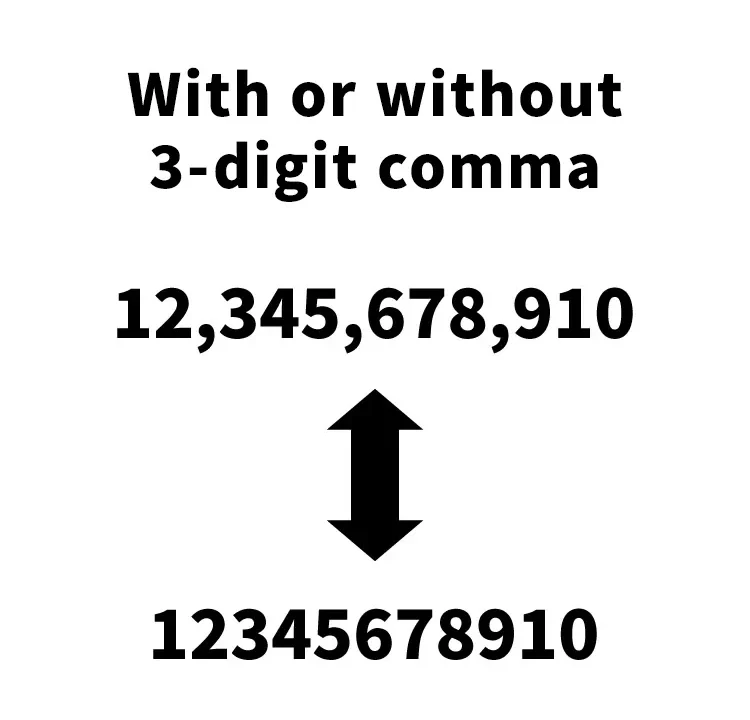
This article introduces how to use JavaScript to convert large numbers into a 3-digit comma-separated format.
It is written in a way that is easy to understand even for beginner engineers or people who are not very familiar with technology.
This article refers to a previous post:
「Simple way to display numbers with comma separators in PHP and JavaScript」
CSS to Display the Original Number (Input)
First, set up some simple CSS to display the number before conversion. Please customize it as needed.
<style>
body {
  font-size: 16px;
  text-align: center;
}
h1{
  text-align: center;
  font-size: 20px;
  padding: 20px 0;
  line-height: 1.6em;
}
h2{
  font-size: 18px;
  margin: 4px 0;
}
input{
  margin: 0 0 8px 0;
  text-align: center;
  width: 150px;
  font-size: 14px;
  padding: 4px;
  background-color:#cccccc;
  border: solid 1px #000000;
}
</style>
HTML Description
Next, create the section in HTML where you input the number and display the converted result.
We prepared the output destinations as follows:
“Before conversion: No 3-digit comma separator (name=”nocomma1″)” → Output to “After conversion: With 3-digit comma separator (class=”threecomma1″)”,
and
“Before conversion: With 3-digit comma separator (name=”threecomma2″)” → Output to “After conversion: No 3-digit comma separator (class=”nocomma2″)”.
Please refer to the code below.
<h1>Convert Large Numbers With or Without 3-Digit Comma Separators Using JavaScript</h1>

<h2>Before Conversion: No 3-Digit Comma Separator</h2>
<input type="text" name="nocomma1" value="12345678910" readonly="readonly">
<br>
↓
<br>
<h2>After Conversion: With 3-Digit Comma Separator</h2>
<div class="threecomma1"></div>

<br>
<br>
<br>

<h2>Before Conversion: With 3-Digit Comma Separator</h2>
<input type="text" name="threecomma2" value="10,987,654,321" readonly="readonly">
<br>
↓
<br>
<h2>After Conversion: No 3-Digit Comma Separator</h2>
<div class="nocomma2"></div>
JavaScript Code to Convert Large Numbers to 3-Digit Comma Format
Here is how to convert large numbers into a 3-digit comma-separated format using JavaScript.
In this example, we use jQuery, so first we load the jQuery file.
We load the jquery-1.9.1.min.js file.
The function “function threeComma(nocomma){~}” converts a number into a 3-digit comma-separated format,
and “function removeComma(threecomma){~}” removes the 3-digit comma separators.
<script src="jquery-1.9.1.min.js"></script>
<script>
$(function () {
  var nocomma1 = $('input[name="nocomma1"]').val();
  $(".threecomma1").html(threeComma(nocomma1)); // Convert to 3-digit comma-separated format and output

  var threecomma2 = $('input[name="threecomma2"]').val();
  $(".nocomma2").html(removeComma(threecomma2));  // Remove 3-digit comma separators and output

  // Convert to 3-digit comma-separated format
  function threeComma(nocomma){
    return Number(nocomma).toLocaleString();
  }

  // Remove 3-digit comma separators
  function removeComma(threecomma){
    var nocomma = threecomma.replace(/,/g, '');
    return parseInt(nocomma, 10);
  }
});
</script>
Demo Page: Convert Large Numbers With or Without 3-Digit Comma Separators Using JavaScript
We have also prepared a demo page where you can see the actual behavior.
You can check it from the link below.
Demo Page: Convert Large Numbers With or Without 3-Digit Comma Separators Using JavaScript
Summary
In this article, we introduced how to use JavaScript to convert large numbers into a 3-digit comma-separated format.
This allows large numbers to be displayed in a more readable way.
Please try it out for yourself.
※ Please use this code at your own risk if you reuse it.
Do not reuse the Google Analytics tag inside the head tag of the demo page.