Retrieving Data in Laravel Using INNER JOIN (join) and OUTER JOIN (leftJoin, rightJoin)
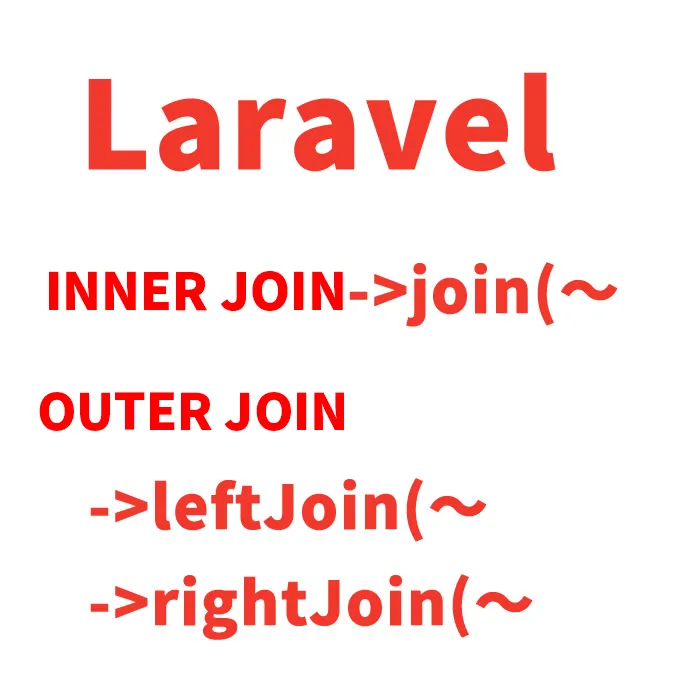
This article introduces how to retrieve list page data from the database in Laravel using INNER JOIN (join) and OUTER JOIN (leftJoin, rightJoin).
(Laravel version 6)
- Two Table Structures
- Model Description for Retrieving Data Using INNER JOIN (join) and OUTER JOIN (leftJoin, rightJoin) in Laravel
- Controller Description for Retrieving Data Using INNER JOIN (join) and OUTER JOIN (leftJoin, rightJoin) in Laravel
- View Description for Displaying Retrieved Data Using INNER JOIN or OUTER JOIN
- Route Description
Two Table Structures
listpages table where product names are registered (parent) and users table (child) where users who registered products in the listpages table are stored.
listpages Table (Parent)
| Name | Description |
|---|---|
| id | Primary Key |
| product_name | Product Name |
| user_id | Product Registered User ID = id in the users table ※ The name must be “user_id,” which is the table name “user” (users table name minus “s”) + primary key “id” with an underscore. This enables retrieving matching id data from the users table. |
users Table (Child)
| Name | Description |
|---|---|
| id | Primary Key |
| name | User Name |
| Email Address |
Model Description for Retrieving Data Using INNER JOIN (join) and OUTER JOIN (leftJoin, rightJoin) in Laravel
※ The Listpage model retrieves data from the User model.
class Listpage extends Model
{
	public function user()
	{
		//Retrieve data from the User model
	    return $this->belongsTo('App\User');
	}
}
Controller Description for Retrieving Data Using INNER JOIN (join) and OUTER JOIN (leftJoin, rightJoin) in Laravel
※ Retrieves id and name from the users table where the user_id in listpages matches. Product name (product_name) in the listpages table is used as a LIKE search condition.
Retrieving Data Using INNER JOIN (join)
※ INNER JOIN retrieves only rows where the specified columns in both tables contain matching values. In SQL, this corresponds to “INNER JOIN”.
The following part performs the inner join: 「->join(‘users’,’users.id’,’=’,’listpages.user_id’)」. Only rows where “users.id” matches “listpages.user_id” are retrieved.
namespace App\Http\Controllers;
use Illuminate\Http\Request;

use App\User;   //Use User model
use App\Listpage;   //Use Listpage model


    public function listdata(Request $request)
    {
        $sort = 'listpages.id';
        $order = 'desc';

        $sql = '1=1';

        $product_name = "";
        if(!empty($request->product_name)){
            $product_name = $request->product_name;
            $sql .= " AND listpages.product_name like '%".$request->product_name."%'";
        }

	//Retrieve id and name from users table matching listpages.user_id. Use LIKE search for listpages.product_name.
        $listpages = Listpage::with(['user:id,name'])
        ->join('users','users.id','=','listpages.user_id')	//INNER JOIN
        ->select('listpages.*','users.id as uid')
        ->whereRaw($sql)
        ->orderBy($sort, $order)->paginate(20);

	//Pass product_name conditions to view as params
        return view('listpages', [
            'listpages' => $listpages,
            'product_name' => $product_name,
            'param' => [
                'product_name' => $product_name,
            ],
        ]);
    }
Retrieving Data Using OUTER JOIN (leftJoin)
※ OUTER JOIN also joins based on matching column values, but unlike INNER JOIN, it also retrieves rows where values do not match on one side.
The following part performs the left join: 「->leftJoin(‘users’,’users.id’,’=’,’listpages.user_id’)」. It retrieves data where “users.id” matches “listpages.user_id” as well as all data that exists in the listpages table even if it does not match.
namespace App\Http\Controllers;
use Illuminate\Http\Request;

use App\User;   //Use User model
use App\Listpage;   //Use Listpage model


    public function listdata(Request $request)
    {
        $sort = 'listpages.id';
        $order = 'desc';

        $sql = '1=1';

        $product_name = "";
        if(!empty($request->product_name)){
            $product_name = $request->product_name;
            $sql .= " AND listpages.product_name like '%".$request->product_name."%'";
        }

	//Retrieve id and name from users table matching listpages.user_id with LIKE search for listpages.product_name.
        $listpages = Listpage::with(['user:id,name'])
        ->leftJoin('users','users.id','=','listpages.user_id')	//LEFT OUTER JOIN
        ->select('listpages.*','users.id as uid')
        ->whereRaw($sql)
        ->orderBy($sort, $order)->paginate(20);

	//Pass product_name condition to view as param
        return view('listpages', [
            'listpages' => $listpages,
            'product_name' => $product_name,
            'param' => [
                'product_name' => $product_name,
            ],
        ]);
    }
Retrieving Data Using OUTER JOIN (rightJoin)
Use “rightJoin” when you want to retrieve data that exists on the opposite table (users table) instead of the listpages table.
The change is simply:
「->leftJoin(‘users’,’users.id’,’=’,’listpages.user_id’)」
to
「->rightJoin(‘users’,’users.id’,’=’,’listpages.user_id’)」
View Description for Displaying Retrieved Data Using INNER JOIN or OUTER JOIN
※ Displays data retrieved using INNER JOIN or OUTER JOIN.
		<form enctype="multipart/form-data" action="{{ url('listpages') }}" method="GET">
	            	@csrf
			<label for="product_name">Product Name</label>
			<input type="text" name="product_name" value="{{ old('product_name', $product_name) }}">
			<br>
			<button type="submit">Search</button>
        	</form>

                <div align="center">
                    {{ $listpage->appends($param)->links()}}
                </div>

                <table>
                    <thead>
                        <th>Product Name</th>
                        <th>Registered User</th>
                    </thead>
                    <tbody>
                        @foreach ($listpages as $listpage)
                            <tr>
                                <!-- Product Name -->
                                <td class="table-text">
                                    <div>{{ $listpage->product_name }}</div>
                                </td>
                                <!-- Registered User -->
                                <td class="table-text">
                                    <div>{{ $listpage->user->name }}</div>
                                </td>
                            </tr>
                        @endforeach
                    </tbody>
                </table>
Route Description
※ Modify the page URL as needed.
Route::get('/listpages', 'ListpagesController@listdata');
※ If reused, please do so at your own risk.