How to Implement a Loading Screen (Progress Bar and Percentage Count-Up) Before Page Display Using progressbar.js
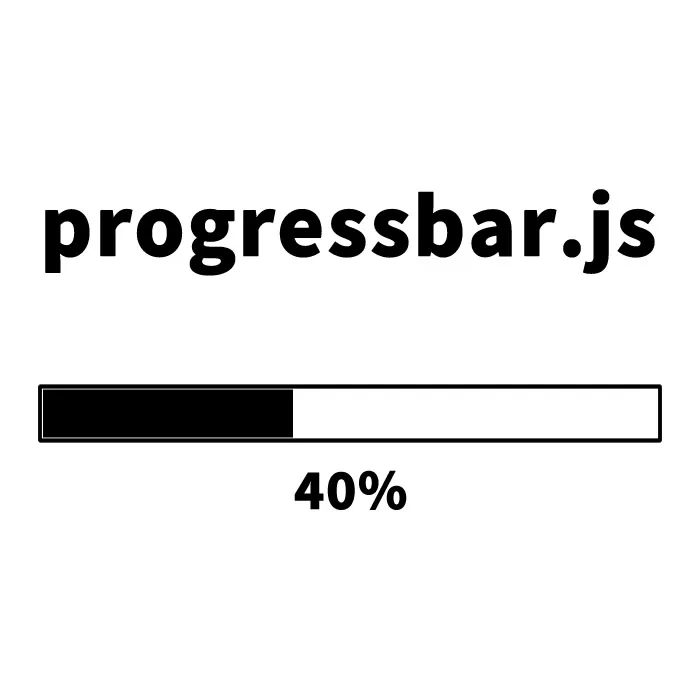
To improve website usability, it is important to display a loading indicator that shows progress before the page is fully loaded.
In this article, we will introduce how to display a progress bar and a percentage count-up before page display using progressbar.js.
CSS for Displaying the Loading Screen (Progress Bar and Percentage Count-Up)
First, define the CSS for the entire page on initial load (.wrap) and the loading container (#container).
Please adjust the styles as needed.
body {
    font-size: 16px;
}
h1{
  text-align: center;
  font-size: 20px;
  line-height: 1.6em;
  padding: 20px 0;
  position: relative;
}
p{
  text-align: center;
  position: relative;
}
.wrap{
  position: fixed;
  z-index: 999;
  width: 100%;
  height: 100%;
  background: #000000;
  text-align:center;
  color:  #ffffff;
  top: 0;
}
#container {
  margin: 0 auto;
  width: 50%;
  height: 12px;
  position: absolute;
  left: 25%;
  top: 45%;
}
</style>
HTML Markup
Next, add the entire page container (class=”wrap”) and the loading container (id=”container”) to your HTML.
<h1>Display Loading (Percentage Count-Up) with progressbar.js</h1>
<p>Reload the page (F5) to display the loading screen again.</p>

<div class="wrap">
  <div id="container"></div>
</div>
JavaScript Code
Finally, load jquery-3.4.1.min.js and progressbar.min.js, and configure the progress bar using new ProgressBar.Line(container, {options}).
In the options, you can set the loading easing, speed, color, width, and more.
<script src="jquery-3.4.1.min.js"></script>
<script src="progressbar.min.js"></script>
<script>
var bar = new ProgressBar.Line(container, {
  strokeWidth: 4,
  easing: 'easeInOut',
  duration: 1400,
  color: '#fff',
  trailColor: '#ccc',
  trailWidth: 1,
  svgStyle: {width: '100%', height: '100%'},
  text: {
    style: {
      // Text color, etc.
      color: '#fff',
      position: 'absolute',
      right: '50%',
      top: '40px',
      padding: 0,
      margin: 0,
      transform: null
    },
    autoStyleContainer: false
  },
  from: {color: '#FFEA82'},
  to: {color: '#ED6A5A'},
  step: (state, bar) => {
    bar.setText(Math.round(bar.value() * 100) + ' %');
  }
});

bar.animate(1.0, function () {
  $(".wrap").delay(500).fadeOut(800); // Hide the loading screen after the animation ends
});
</script>
Demo Page: Display Loading (Percentage Count-Up) with progressbar.js
You can check a demo page showing the loading screen (percentage count-up) using progressbar.js from the link below.
Demo page for displaying loading (percentage count-up) with progressbar.js
Source: ProgressBar.js – Progress bars with JavaScript
For detailed documentation and other features, please refer to the link below.
ProgressBar.js – Progress bars with JavaScript
Summary
That’s how to display a progress bar and percentage count-up before page display using progressbar.js.
Progressbar.js is a highly customizable progress bar library and a powerful tool for improving usability.
Be sure to try incorporating it into your own projects.
*If you reuse this code, please do so at your own risk.
Do not reuse the Google Analytics tag included in the demo page’s head tag.*