Return to the Exact Position with the Browser Back Button: Controlling Scroll Position on Long Vertical LP Pages [Session Storage]

On long vertical LP pages, users are shown a large amount of content as they scroll. When a user clicks a link to navigate to another page and then returns to the LP using the back button, it is necessary to save the scroll position so they can return to the exact previous location.
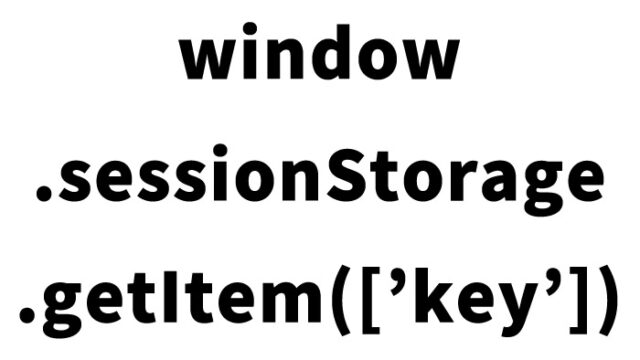
There are several JavaScript approaches to managing scroll position on web pages, mainly using session storage (sessionStorage) or local storage. Here, as an alternative method that does not use cookies, we introduce an example of JavaScript that uses session storage (sessionStorage).
Saving Scroll Position Using Session Storage (sessionStorage)
Session storage is part of the Web Storage API and allows data to be stored while the browser tab is open.
The following code example shows how to save the scroll position using session storage and scroll back to that position when returning to the web page.
// Executed when the web page is loaded
window.onload = function() {
    // Retrieve the scroll position from session storage and scroll to that position
    if (sessionStorage.getItem('scrollPosition')) {
        window.scrollTo(0, sessionStorage.getItem('scrollPosition'));
    }

    // Save the position to session storage every time the user scrolls
    window.onscroll = function() {
        sessionStorage.setItem('scrollPosition', window.scrollY);
    };
};
In this code, when the web page is loaded, the scroll position is read from session storage and the page moves to that position. In addition, every time the user scrolls, the position is saved to session storage.
Because PCs and smartphones have different screen sizes and resolutions, the amount of content displayed differs. As a result, scroll position management may vary. However, the JavaScript code above works regardless of the device.
Advantages of Session Storage (sessionStorage)
- User privacy protection:
Unlike cookies, session storage does not send data to the server. This makes it less affected by privacy-related regulations such as GDPR. - Tab-specific data storage:
Session storage saves data specific to the currently open tab. This means that even if the same site is opened in multiple tabs, the scroll position for each tab is stored independently. - Easy implementation:
Session storage is easy to use with JavaScript and does not require special configuration or user consent.
Summary
To manage scroll position without using cookies, using session storage is an effective approach. This method protects user privacy and allows data to be handled independently for each browser tab, making it particularly suitable for web applications and interactive websites. Another advantage is that it relies only on basic JavaScript functionality and does not require additional libraries or frameworks.